Dónde comprar
¿Necesita asesoramiento? Nuestros altamente capacitados distribuidores estarán encantados de ayudarle con cualquier pregunta, ya sea pequeña o grande.
Encuentre su distribuidor más cercano
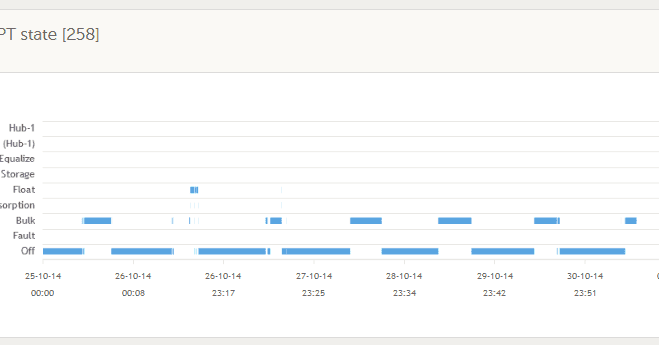
VRM Portal updates: MPPT state chart and more…
As most of you may be aware, the VRM Portal is updated by a process of continuous integration. If you don’t know what that is, here is an explanation in an earlier blog post: VRM Portal enhancements: Continuous Integration
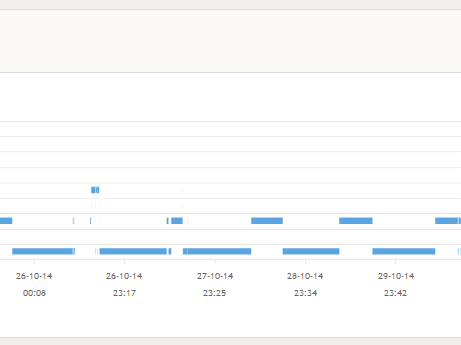
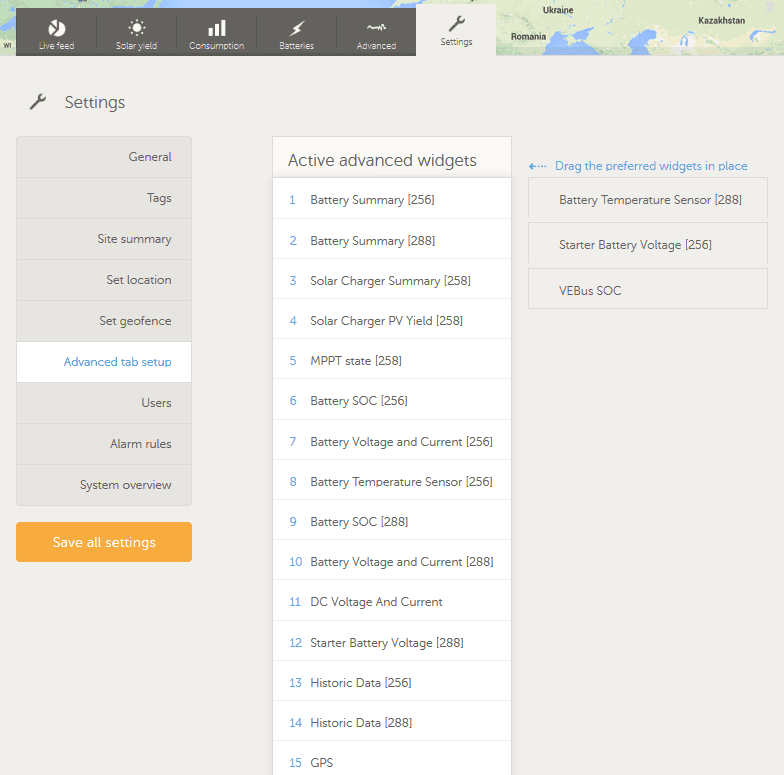
As you can see in the headline image above there is now an MPPT state chart in the ‘Advanced’ tab, assuming you have set this up as an ‘Active advanced widget’ in ‘Settings –> Advanced tab setup’, as shown below.
Setting up the widgets, you wish to see in the ‘Advanced’ tab screen, is now easily achieved by dragging the ones you choose to be active to the left and to the right if you wish to delete an active widget. Don’t forget to click ‘Save all settings’ when done. Note that widgets can also be dragged up and down the list, so the ‘Advanced’ tab screen displays your graphs and information in the order you choose.
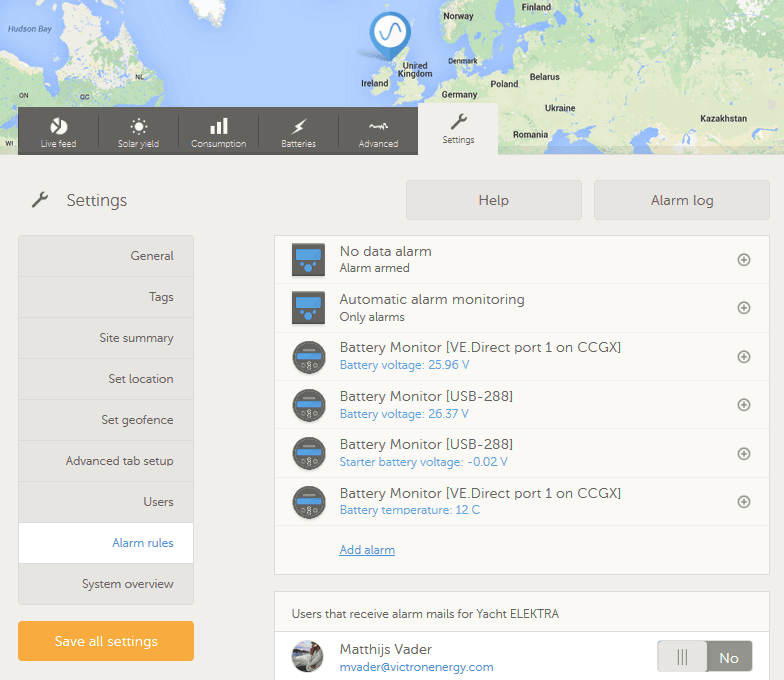
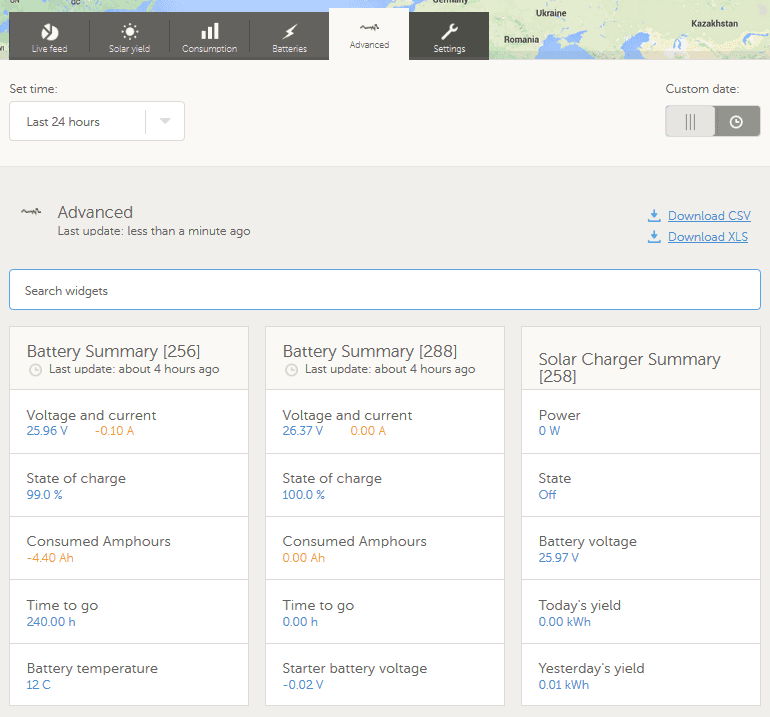
If you have alarm rules other than the default monitoring settings, values such as voltage and temperature will be displayed. You’ll note in the image below that a negative value is shown for a starter battery. In this system there is no starter battery and that functionality is being used to setup a high water bilge alarm in this case, by simply using a voltage above that shown to trigger an alarm from a float switch, should the bilge water rise. This will be explained in a later blog post and can be useful for all sorts of single and multiple alarms, such as RV/boat/home intrusion detection, tank levels and just about anything else you can think of.
These are now available in both *.csv and *.xls format, as you can see on the right below.
With the advent of Victron Live, there is also improved VRM Portal documentation. Victron Live is a living and growing website, which is a constantly evolving information store. It is a place where you can find manuals for VEConfigure3, Assistants and other software and software products. Check the Victron Live VRM links out below:
These include fixing widgets in the phone apps so they don’t scroll, such as BMV history. There are a number of general improvements in the ‘Advanced tab setup’ which you may already have noticed. And for users managing 100+ installations, there are apparently some rather special additional features, but I never told you that 😉
John Rushworth¿Necesita asesoramiento? Nuestros altamente capacitados distribuidores estarán encantados de ayudarle con cualquier pregunta, ya sea pequeña o grande.
Encuentre su distribuidor más cercano
Consulte nuestros recursos de soporte o contacte con su distribuidor original para obtener soporte específico, reparaciones o solicitudes de garantía.
Asistencia
Lea más sobre nuestra garantía estándar de 5 años, líder en el sector, y nuestro servicio de reparación global.
Garantía


©Victron Energy 2026